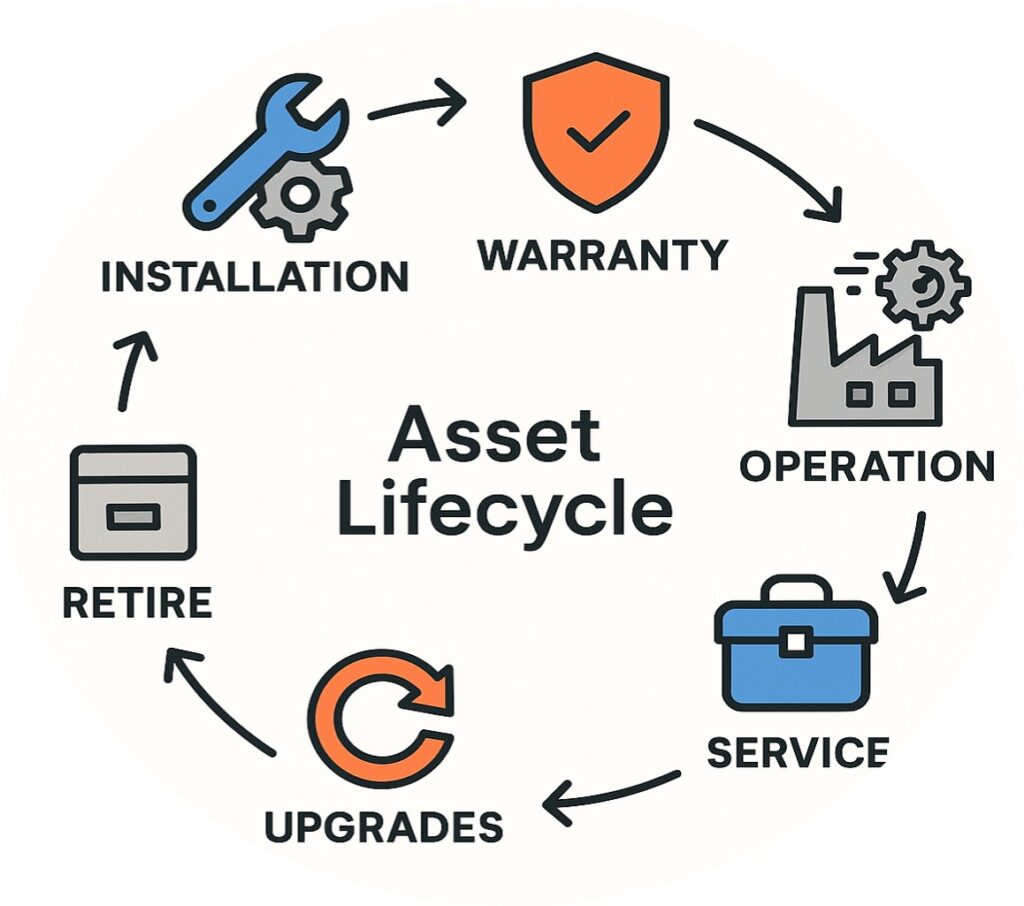

Salesforce Field Service has been rebranded as Agentforce Field Service, with AI agents now built directly into the dispatcher console and technician mobile app rather than sold as a separate layer. The rename reflects a real shift in how the product works, so this review uses Agentforce Field Service throughout, referencing the old name only where it helps orient readers coming from earlier evaluations.
For OEM service leaders comparing platforms, the short version is this: Agentforce Field Service gets more of the core job right, out of the box, than most competing FSM tools. Scheduling, dispatch, mobile execution, and CRM integration are strong. The gap that actually changes buying decisions is how the platform behaves when a technician loses signal in the field, and in what happens to AI-driven guidance when that connection drops.
What this review covers: native FSM capabilities (work orders, service appointments, scheduling and dispatch), UI and admin configurability, asset hierarchy and CRM integration, the offline architecture and its real-world limitations, and where multi-resource scheduling and connectivity gaps push OEMs toward third-party tools. What it doesn’t cover: a full feature-by-feature breakdown, detailed pricing, or Salesforce Manufacturing Cloud, a separate product built for sales agreements and demand forecasting, not field execution, and not a substitute for this comparison.
Where Agentforce Field Service Gets It Right
Agentforce Field Service delivers the core mechanics of field service management such as work orders, service appointments, scheduling and dispatch for standard jobs, at a level of polish that most FSM vendors don’t match without heavy customization. For most OEM service organizations, this is the part of the evaluation that should take the least time.
Core FSM Capabilities Out of the Box
Work orders and service appointments are the backbone of the platform, and the relationship between them is intuitive from day one: a work order defines the scope, a service appointment schedules the visit, and the dispatcher console ties both to technician availability, skills, and location on a configurable Gantt view. For single-technician jobs, the majority of standard OEM field visits, this works well without custom development, and it flexes to match most OEM-specific workflows through configuration rather than code.
UI and UX
The interface is cleaner than most FSM competitors, for both dispatchers and technicians, and it’s meaningfully easier for admins to configure and extend. Field sets, custom filters, and custom actions on the dispatcher console let an OEM tailor what dispatchers see without engaging a development team for every change, making it a real advantage over platforms where UI customization requires a bigger implementation lift.
Native CRM Integration Without the Middleware
Because Agentforce Field Service runs on the same data model as Sales Cloud and Service Cloud, dispatchers and technicians see account history, contract terms, and customer context without a separate integration layer pulling that data in. For OEMs already running Salesforce for sales and service, this removes a category of integration work that competing FSM platforms built as standalone systems would require.
Asset Intelligence: Hierarchies and Timelines
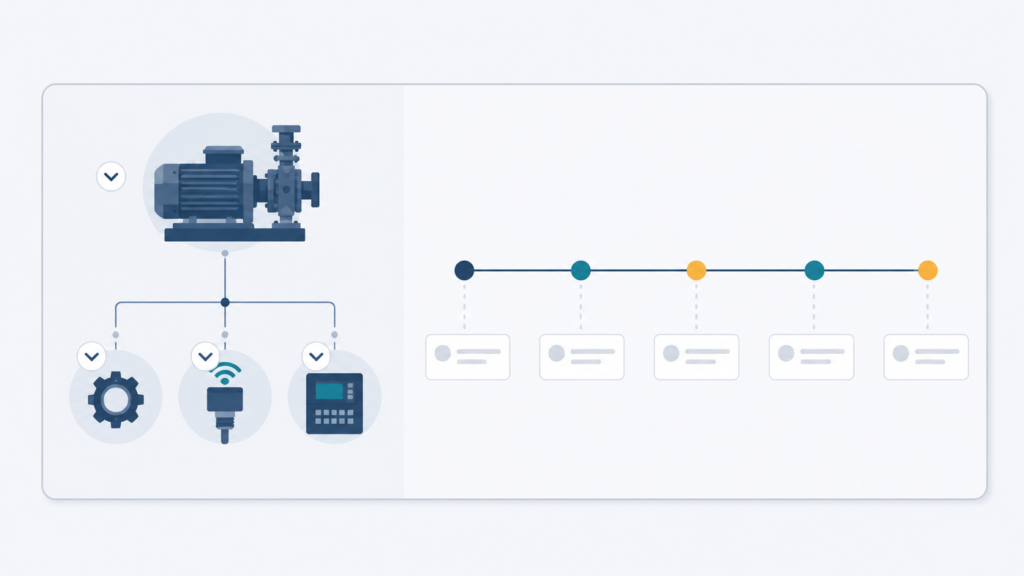
Assets support native parent-child hierarchies, so a technician or dispatcher can view a piece of equipment and its subcomponents as a structured tree rather than a flat list, useful for any OEM managing complex, multi-component machines. Salesforce has also added a fuller hierarchical view showing the complete asset tree alongside location and status, plus a timeline component that surfaces service and maintenance history against the asset record. The more advanced interactive version of this hierarchy view sits under Salesforce’s Asset Service Lifecycle Management add-on rather than the base license, so OEMs evaluating this should confirm which tier they’re scoping, but the underlying hierarchy and timeline capability is real, not a gap that requires a third party to fill.
Across scheduling, UX, integration, and asset data, Agentforce Field Service holds up well against the field.
Where Agentforce Field Service Falls Short for OEM Field Operations
The two limitations below are the ones that actually change vendor decisions for manufacturing and automotive service organizations. One is a category-wide constraint worth naming and moving past, the other is specific to this platform and worth slowing down on.
Complex and Multi-Resource Scheduling: a Category-Wide Limitation, Not Unique to Agentforce
Multi-technician jobs with interdependent skills, sequencing, and parts availability required for installations, complex repairs, coordinated site visits, stretch most FSM platforms’ native scheduling logic, and Agentforce Field Service is no exception. This isn’t a Salesforce-specific weakness; it’s a planning-layer gap that shows up across the FSM category, as covered in more depth in our complex field service scheduling piece. OEMs with a high share of multi-resource work should treat this as a planning-layer question during evaluation, not a reason to rule out any single vendor.
The Offline Gap: What “Offline-First” Actually Means Today
Salesforce now markets the Field Service mobile app as offline-first, built on a feature called LWC Offline. It’s a genuine improvement over earlier versions of the product. But Salesforce’s own developer documentation is direct about the limits: the offline experience is explicitly described as not the full Salesforce experience, with missing capabilities, reduced performance, and known software defects compared to the connected app. For a technician working a routine job in a covered area, this rarely matters. For OEMs whose technicians regularly work in low-signal plant floors, rural service territories, or industrial sites with unreliable connectivity, it’s the difference between a mobile app that works and one that requires workarounds.
The offline-first claim, precisely: Salesforce’s Field Service mobile app runs offline using LWC Offline, but Salesforce’s own documentation confirms it’s not equivalent to the connected experience, hence expect missing capabilities and reduced performance offline, not full parity.
The Manufacturer That Had Everything on Salesforce and Still Went Third-Party
This isn’t theoretical. A diversified manufacturer of measurement and control systems, with equipment installed across remote sites far from reliable connectivity, ran a deep, mature Salesforce ecosystem with Sales Cloud, Service Cloud, and Field Service. Once technicians lost signal at these remote installations, the offline app covered the job as scheduled but nothing beyond it: no parts availability, no knowledge base, nothing to work with if the job didn’t go as planned. The company brought in a third-party FSM tool built for true offline operation to close that gap, and it worked for the field, but it split the data model. Every new capability the OEM built on top of Field Service afterward had to be duplicated in the third-party tool as well. Until the duplication was built, asset and service updates captured through the third-party tool had to be manually re-entered into Salesforce to keep both systems current.
In practice, that dual-entry burden fell on the technicians themselves, and most of the time they skipped it. The result was a quieter, more corrosive cost than the original offline gap: asset and service history in Salesforce that was frequently incomplete, not because the data didn’t exist, but because updating it twice wasn’t sustainable for people already doing the job once in the field. This is still the operating reality there today. A company with every incentive to stay on one platform ended up worse off on data completeness than before it solved the offline problem, which is the real lesson for any OEM evaluating this trade-off: closing an offline gap with a bolted-on second system doesn’t just cost integration effort, it can quietly cost you the very data the first platform exists to hold.
Agentforce Raises the Stakes on the Offline Gap
The AI layer built into Agentforce Field Service which include the pre-work briefs pulling customer and asset history, real-time troubleshooting guidance drawing on internal and external knowledge bases, natural-language schedule gap-filling for dispatchers, is a genuine capability upgrade over a purely static work order and Gantt chart. But every one of these features assumes the technician or dispatcher is connected. A troubleshooting agent that analyzes photos and queries a knowledge base in real time doesn’t degrade gracefully offline the way a cached work order does.
The practical read: as Agentforce pushes more intelligence to the point of service, offline resilience becomes more important to an OEM’s evaluation, not less. A platform that’s smarter when connected and more limited when it isn’t puts a premium on exactly the environments where OEM field technicians most often find themselves.
Who Agentforce Field Service Fits and Who Should Look Elsewhere
Agentforce Field Service is a strong fit for OEMs already deep in the Salesforce ecosystem, with field operations concentrated in reliably connected environments and scheduling needs that don’t lean heavily on complex multi-resource, multi-skill coordination. For these organizations, the native CRM integration and configurability outweigh the offline limitation, since it rarely surfaces in daily operations.
OEMs with technicians regularly working in low-connectivity plants, rural territories, or industrial sites, or with a high share of multi-resource jobs, should budget for either a third-party offline add-on or plan to evaluate alternatives directly. On the offline question specifically, this is where it’s worth comparing postures across platforms: the ServiceNow Field Service Management review cover how the platform handles field connectivity and asset data differently, and the contrast is instructive for OEMs weighing all three. The underlying lesson also connects to a broader pattern worth reading if you haven’t: why great FSM demos create bad decisions, a platform that looks complete in a connected conference room demo can still leave a capability-fit gap that only shows up once technicians are working the exact conditions your OEM operates in.
Verdict: Is Agentforce Field Service Right for Your Field Service Operation?
Agentforce Field Service earns its strong reputation on scheduling, mobile UX, CRM integration, and asset intelligence making it genuinely ahead of most FSM competitors on core capability, out of the box. The offline gap is real, documented by Salesforce itself, and consequential enough that a mature Salesforce shop still went third-party over it. If your field technicians work in consistently connected environments, this gap won’t touch your day-to-day operations. If they don’t, it should be the first question in your evaluation, and it’s worth building offline connectivity requirements directly into your vendor comparison criteria using a structured evaluation framework rather than surfacing the gap after implementation.
Has an offline gap ever forced your team into a workaround that created more work than it solved?
Share your experience via the contact form. Practitioner inputs shape the content on this site.